

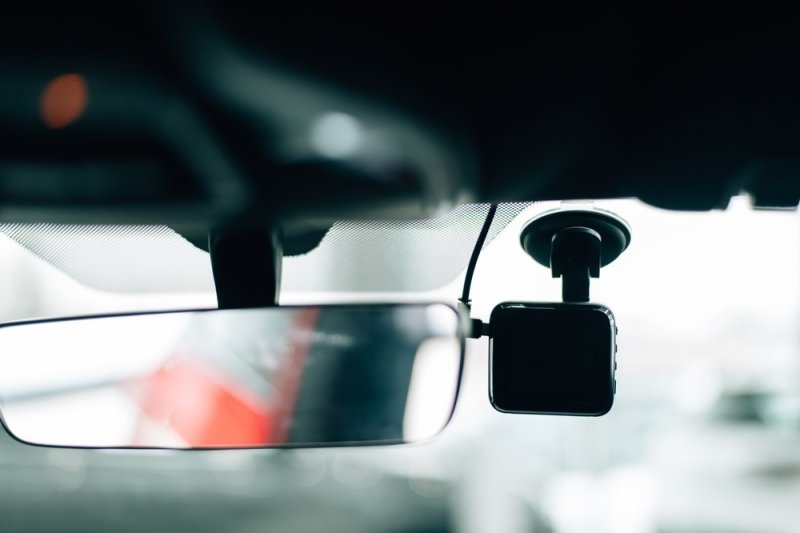
Shopping for a dashcam can get confusing fast once you start weighing specs, prices, and camera counts against each other. Most drivers just want solid proof on hand if a fender bender or hit-and-run ever happens. This guide walks through the best dashcams for 2026 without drowning you in tech jargon. You'll see what actually separates a decent budget option from a full front and rear dashcam setup. We'll also get into GPS tracking, storage, and parking mode, since these are the details that decide whether a purchase holds up long-term. By the end, choosing the right camera for your car should feel a lot less complicated.
The best dashcams for 2026 pair 4K clarity with solid night vision and dependable parking recording. Buyers now expect Wi-Fi transfers, GPS logging, and dual-camera setups as the norm, not as bonus features. Here's a quick look at how the main categories compare.
| Category | Standout Feature | Ideal For |
| Best Overall | 4K front footage with strong night vision | Daily commuters who want sharp evidence |
| Best Budget Pick | Reliable loop recording under $100 | New drivers watching their budget |
| Best GPS Model | Built-in route and speed tracking | Long highway drives and fleet use |
| Best Front and Rear | Dual-channel coverage front to back | Parking lot damage and rear-end disputes |
Every category fits a different driving style, so it helps to match the camera to how you actually drive.
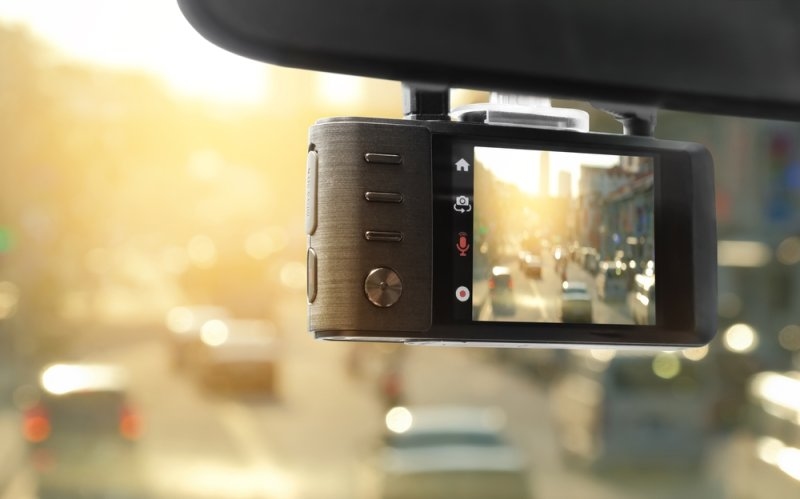
A dashcam with GPS records your location, speed, and route right alongside the footage itself. That extra layer can make a real difference when you're trying to prove fault after a crash. Here are three things worth checking before settling on a GPS model.
GPS-equipped cameras tag your footage with speed and coordinates the moment something happens. Insurance adjusters tend to take this data seriously, since it takes the guesswork out of reconstructing an accident. It can also back you up if someone later disputes how you were driving.
Sometimes a police report doesn't nail down exactly where an incident took place. A dashcam with GPS handles that automatically, so you're not stuck trying to remember street names. That one detail alone can speed up how fast a claim gets processed.
Quite a few GPS dashcams double as a rough tracking tool if your car ever gets stolen. Pair one with a cellular connection, and it can push location alerts straight to your phone. That's a nice bonus on top of everyday crash documentation.
A good budget dashcam still needs to deliver clear daytime video, decent night performance, and automatic loop recording. New drivers often assume going cheap means giving up too much, but plenty of budget models now shoot solid 1080p, sometimes even 4K, for under $100. Look for a wide field of view and a memory card that's already included. If you're also in the market for your first car, our guide to the best cars for first-time buyers pairs nicely with this advice.
A front and rear dashcam records both ends of your car at once, covering the blind spot a single camera leaves behind. Parking lot scrapes, rear-end hits, and reversing mishaps happen just as often behind your car as in front of it.
Somebody clipping your bumper while you're inside a store happens more than most people think. A rear camera catches it even when you're nowhere near the vehicle. That alone makes the extra cost worthwhile for a lot of city drivers.
Insurers respond well to footage that shows both cars clearly during a dispute. A front and rear dashcam pretty much eliminates the "he said, she said" back-and-forth in most claims. Clear footage from both angles tends to get payouts moving faster.
Knowing every angle is being recorded takes a real edge off daily driving stress for cautious owners. That matters even more on unfamiliar roads or during a long family road trip. Pair this setup with adaptive cruise control, and you've got a genuinely safer, more relaxed driving experience overall.
Before you check out, run through a few practical checks to make sure the camera actually fits your car and how you drive. These three areas are where most first-time buyers get tripped up.
Higher resolution makes it much easier to read license plates, especially during nighttime incidents or bad weather. Look for something rated 1440p or above, ideally paired with a wide dynamic range sensor. That combination tends to hold up noticeably better once the sun goes down.
A 128GB card usually strikes a good balance between how much footage you get and what you'll pay to replace it. Loop recording automatically overwrites old, unimportant clips, so you never have to worry about running out of space. It's still worth formatting the card every so often to keep things running smoothly.
Parking mode either keeps recording or kicks in when it senses an impact while your car sits unattended. This one feature alone catches most hit-and-run incidents that a driving-only camera would simply miss. Just know it usually needs a hardwire kit to stay powered full-time.
Finding the best dashcams for your situation really comes down to matching the features to how you actually drive. A dashcam with GPS makes more sense for highway commuters, while a front and rear dashcam fits city parking headaches better. Even the best budget dashcam can offer solid protection as long as it covers resolution, storage, and parking mode basics. Spend a few extra minutes comparing these factors before you buy, and the camera will likely pay for itself the first time you actually need it.
Honestly, a 4K front camera with decent night vision and loop recording covers most daily commutes just fine. If you tend to drive unfamiliar roads or take a lot of highway trips, throwing GPS into the mix is a smart move. And if rear protection matters to you, a dual-channel setup is worth the extra cost.
It really depends on what you want out of it. GPS is great if you like having your speed and location logged automatically whenever something goes wrong. It can strengthen an insurance claim and even help track down your car if it's ever stolen. Not a must-have, but it's genuinely useful once you have it.
For most everyday drivers, yeah, a solid budget pick pretty much covers the essential stuff without you overspending too much. The premium extras like 4K resolution or those advanced parking modes, they matter more if you’re doing high mileage, or you’re driving for rideshare work most days.
A 128GB card is typically the sweet spot for covering several days' worth of loop-recorded footage from both cameras at once. That said, if you're shooting in higher resolution, you'll burn through that space faster, so it's worth sizing your card up based on the video quality you actually use.
Not if it's installed correctly. A proper hardwire kit includes low-voltage cutoff protection, which stops it from draining your battery overnight. Just double-check that safeguard is in place before turning on extended parking mode recording.
This content was created by AI